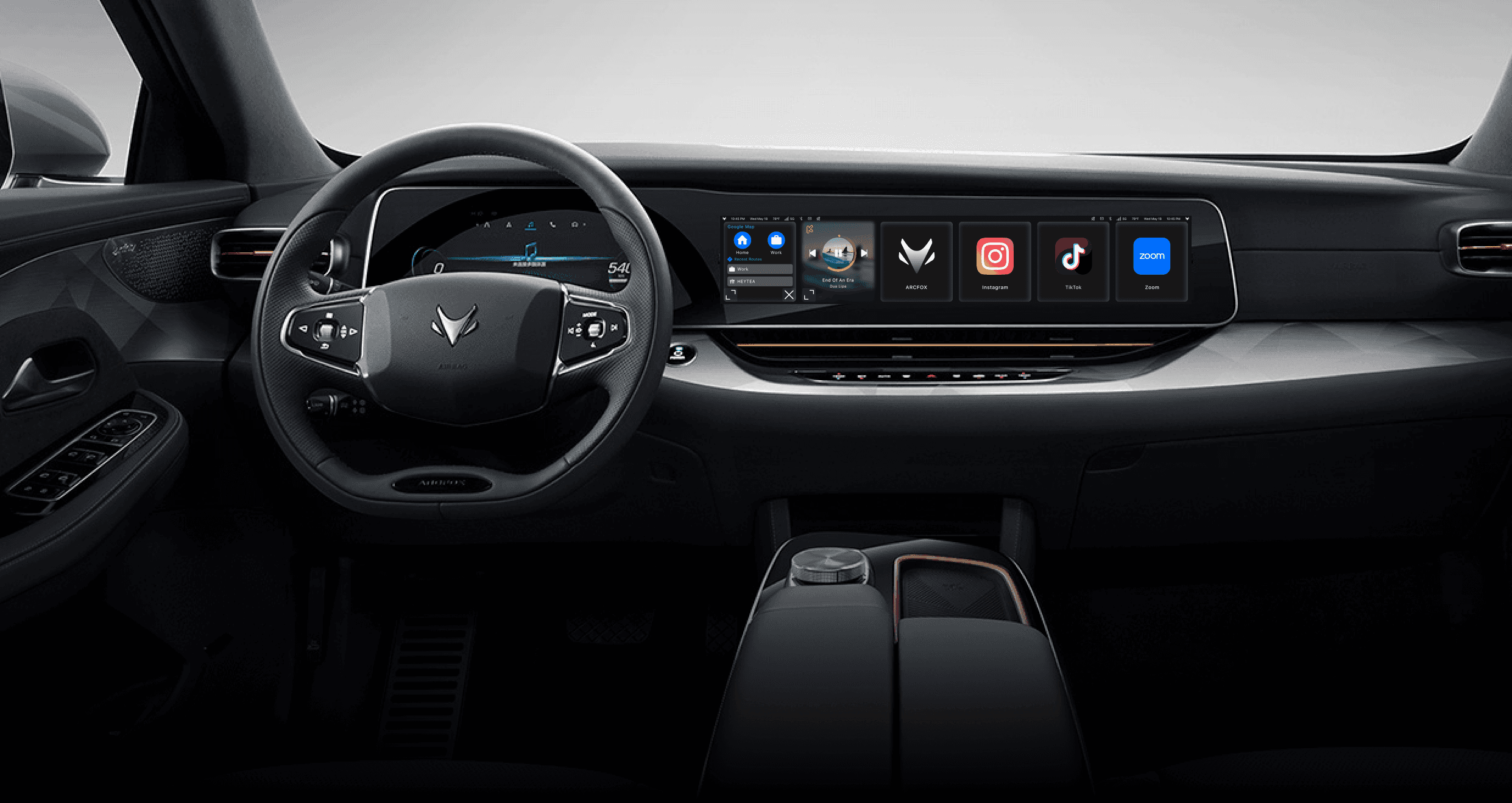
Kuwo Music in Arcfox ⍺S
Enhancing Safety, Accessibility, and the In-Vehicle Experience
Kuwo Music brings a seamless and intelligent entertainment experience to Arcfox αS. By redesigning the multi-screen interface and optimizing driver–passenger interactions, the project improves usability, ensures safety, and aligns with Arcfox’s premium brand identity.
Client
BAIC Group
My Role
UX Research
UX Design
Prototyping
Tools
Figma
Timeline
10 Weeks
Jan - Mar 2022
Team
Team Project
Background
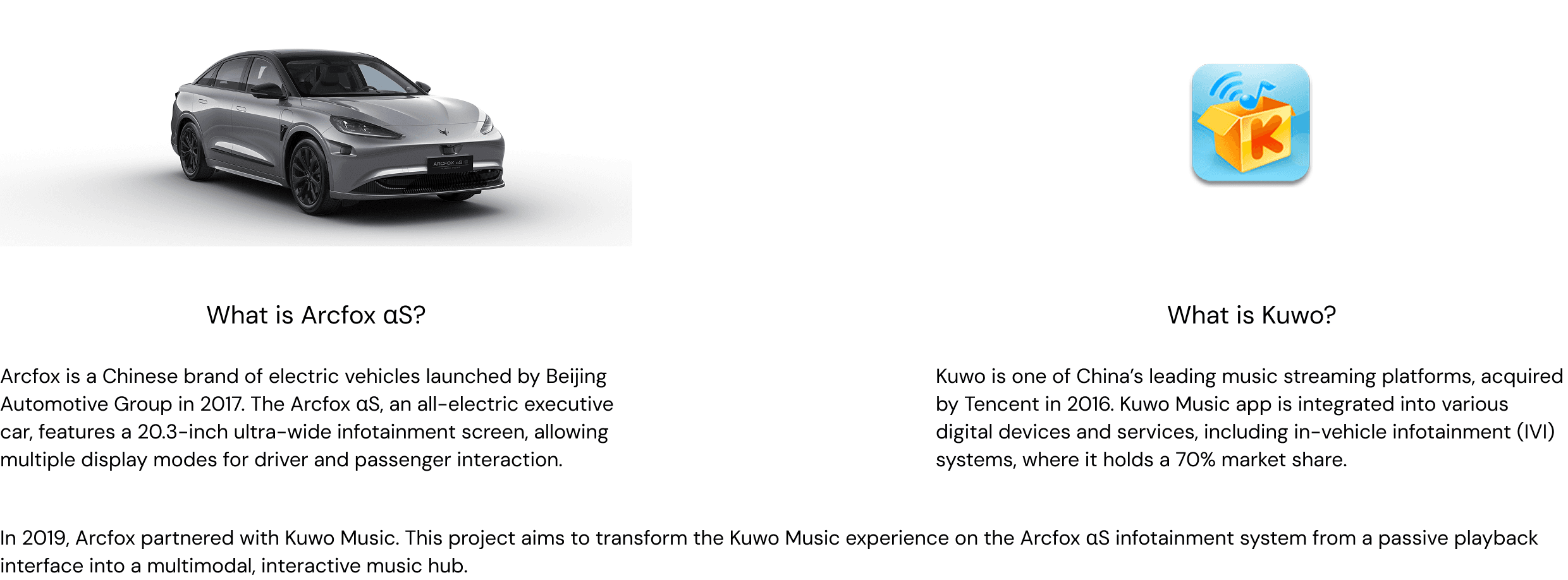
Context & Partnership
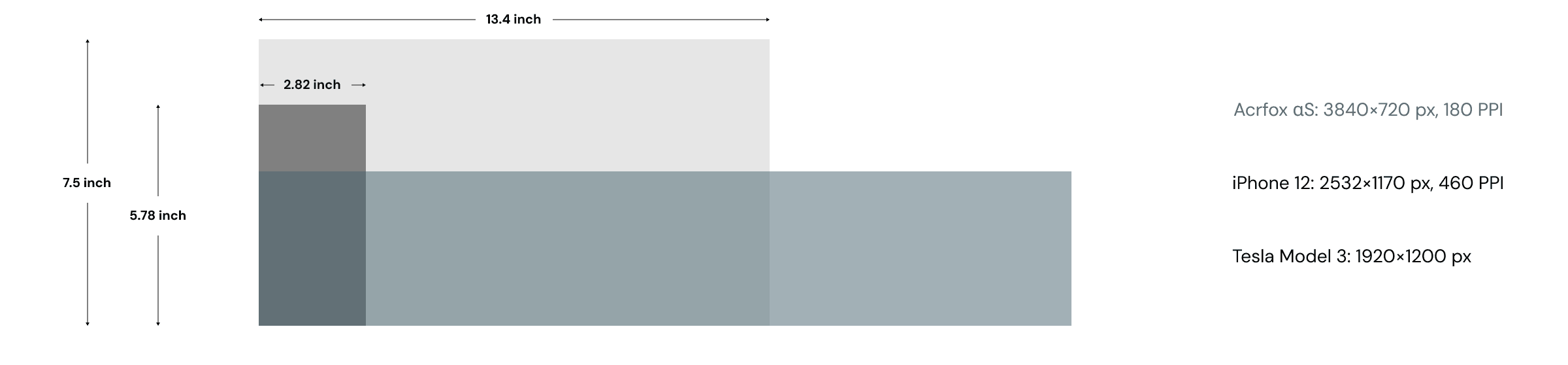
Display Environment
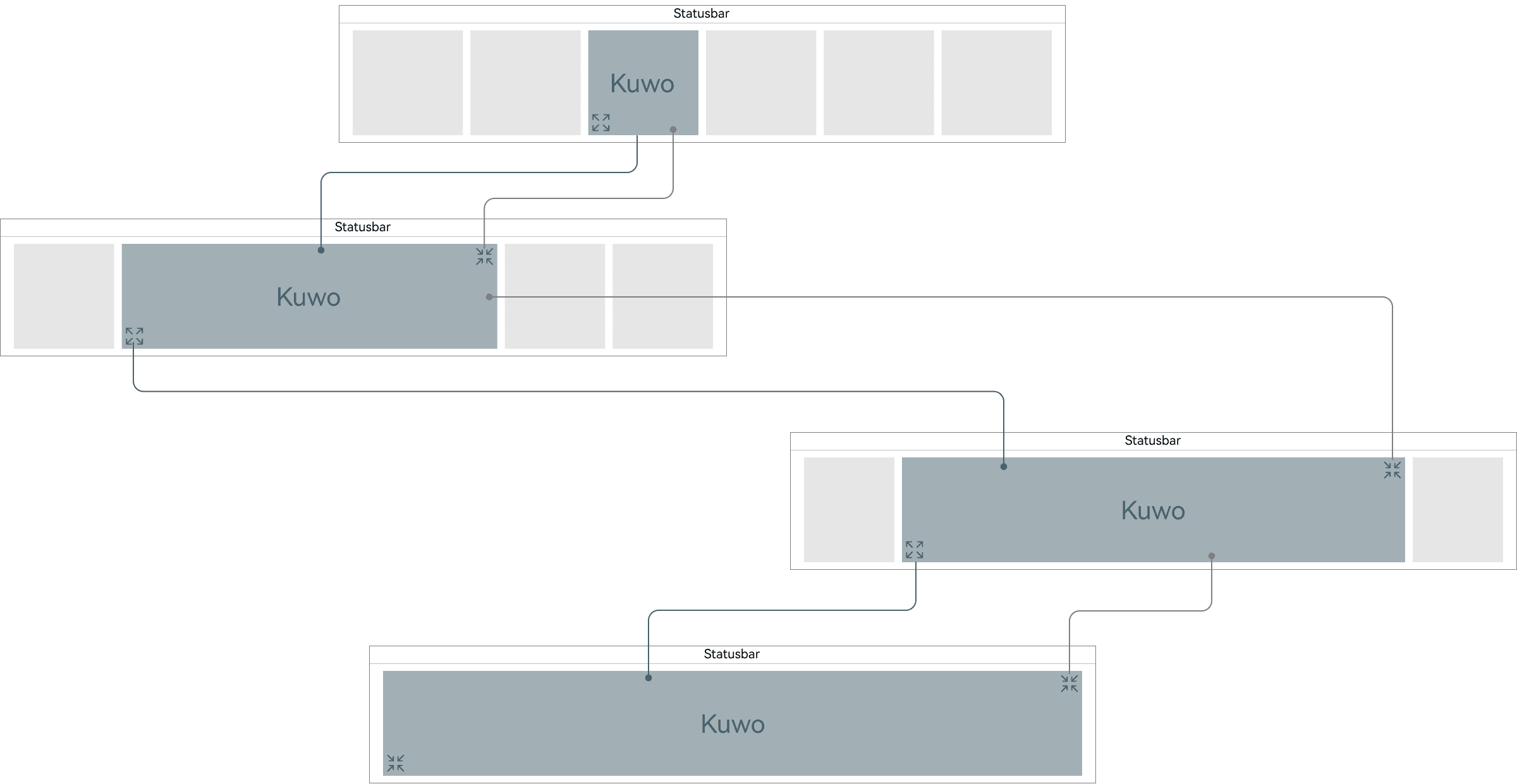
Current Kuwo Flow on Arcfox αS
The current Kuwo Music IVI app adopts four display modes — 1:1, 1:3, 1:4, and 1:6, each corresponding to different levels of interface expansion.
However, the 1:4 mode has been officially deprecated in the latest client direction due to redundancy and inconsistent behavior.
This flow demonstrates the system’s flexibility but also exposes inconsistencies in navigation, scaling logic, and information density.
The Problem
The current Arcfox αS infotainment system received negative feedback from users due to poor UI/UX design and fragmented interaction patterns.Drivers and passengers struggle with navigation, accessibility, and consistency within the Kuwo Music app. The lack of an intuitive hierarchy and unified UI elements disrupts the overall in-car music experience.
Goals
Redesign Kuwo Music for the Arcfox αS IVI system to:
・Improve accessibility for both driver and passenger.
・Enhance music discovery and recommendations for effortless engagement.
・Optimize interaction patterns to support safe, distraction-free driving.
・Align the visual language with Arcfox’s premium design identity.
Empathize
Desktop Research
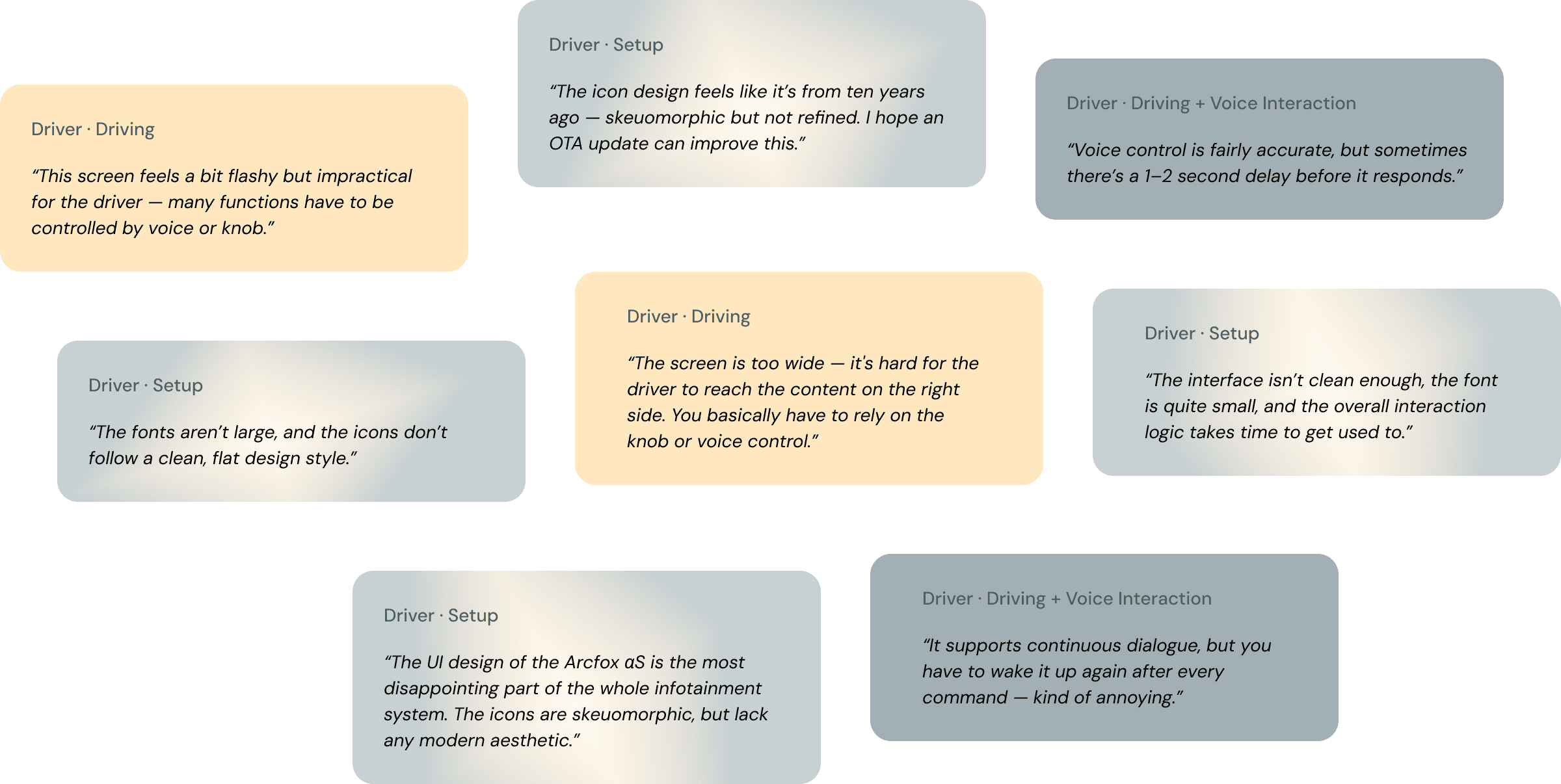
Screen Touch Zone
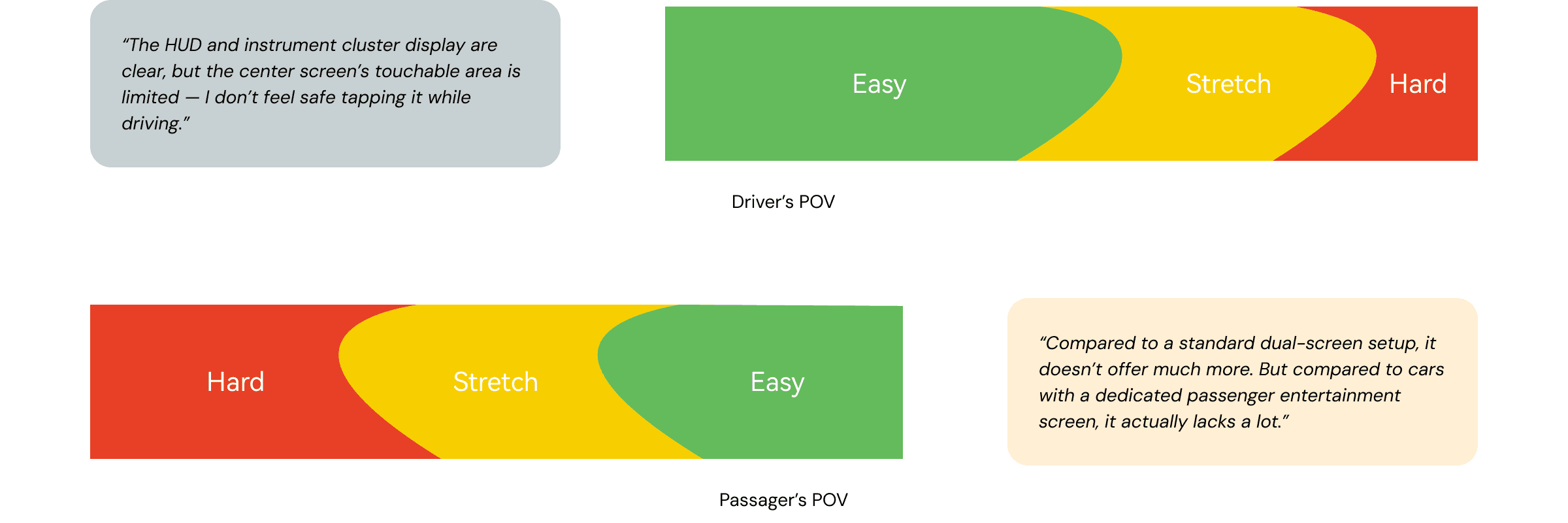
Reachability analysis reveals
・Rear touchscreen area not reachable from driver/passenger seats.
・Only ~60% of the screen is comfortably usable.
Screen Usage Frequency
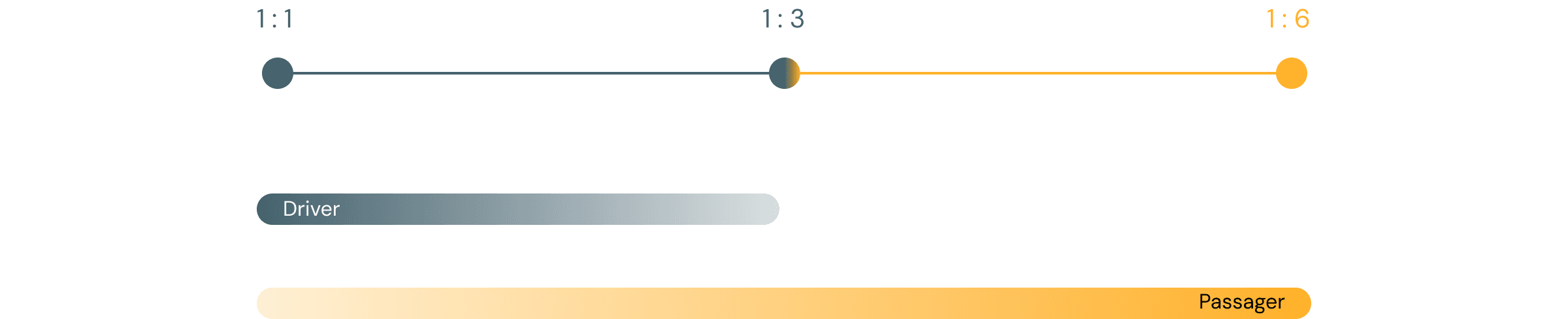
Drivers mainly use 1 : 1 and 1 : 3 modes; 1 : 6 is visually immersive but impractical for real-time control.
Modalities: Physical vs. Touch vs. Voice

Key Findings
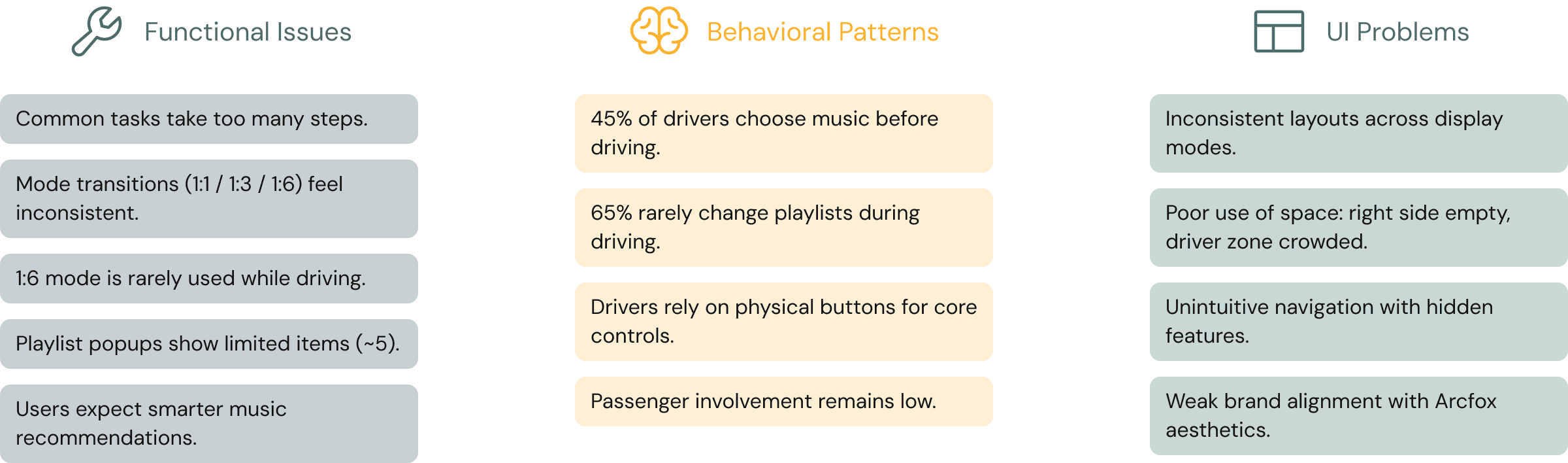
User Needs & Pain Points
Drivers — Need fast, simple access to music with minimal distraction, but the current interface requires too many steps and forces reliance on unreachable or voice-only controls.
Passengers — Want to help control music, yet their available features are limited and hard to access.
Both — Expect smarter music recommendations, but playlist popups are restrictive and personalization is weak.
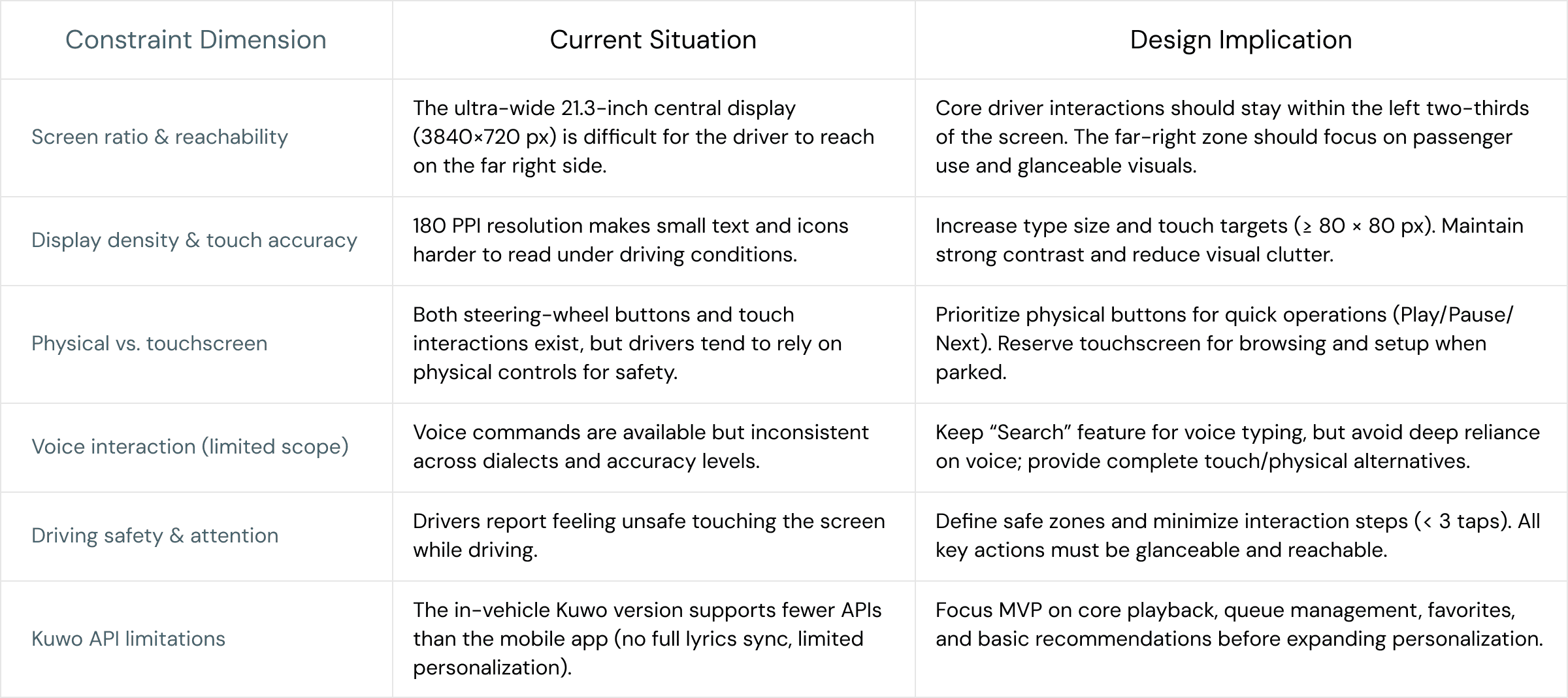
Define
Ideate
Information Architecture
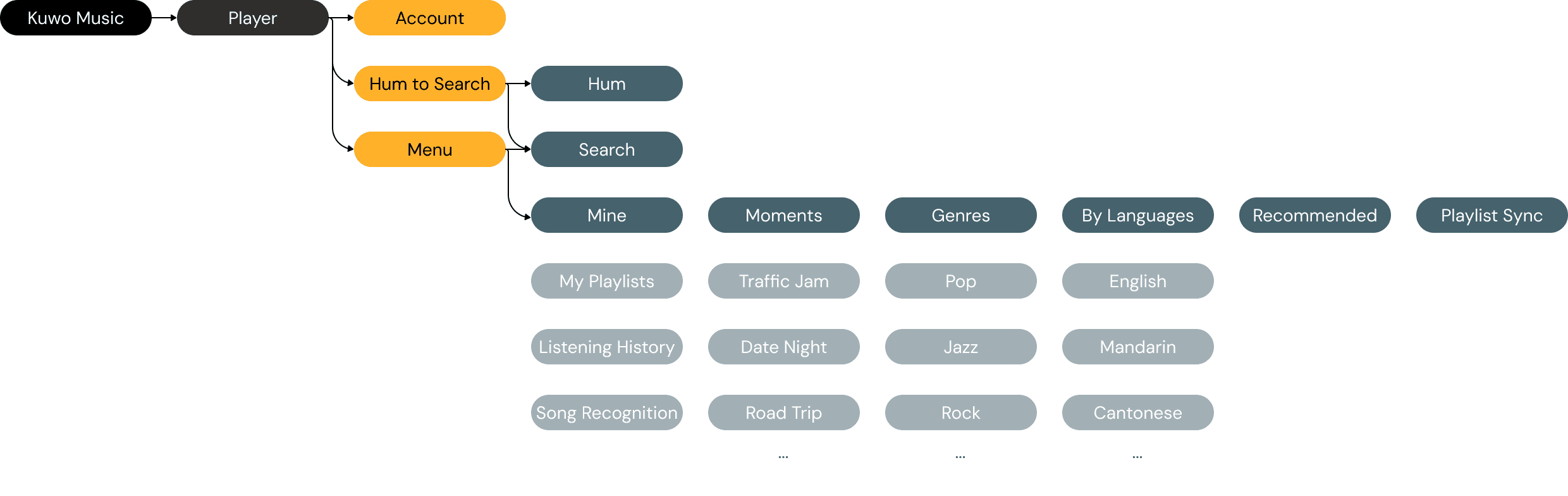
Original: Nested and Action-Driven
In the redesigned architecture, we shifted toward a flatter, content-first structure. Core entry points (Home, Library, Recent, Search) now clearly reflect user intent, and features like Playback are treated as persistent layers accessible across top-level views. Each content type—Playlists, Artists, Albums, Podcasts, Audiobooks—is now grouped by discovery mode rather than interaction type, reducing friction and cognitive load. A new “All” entry point allows users to explore across types without switching tabs, making quick browsing more effortless—especially while driving. This not only simplifies user flow, but also aligns better with the glanceability and reachability constraints of in-vehicle UI environments.

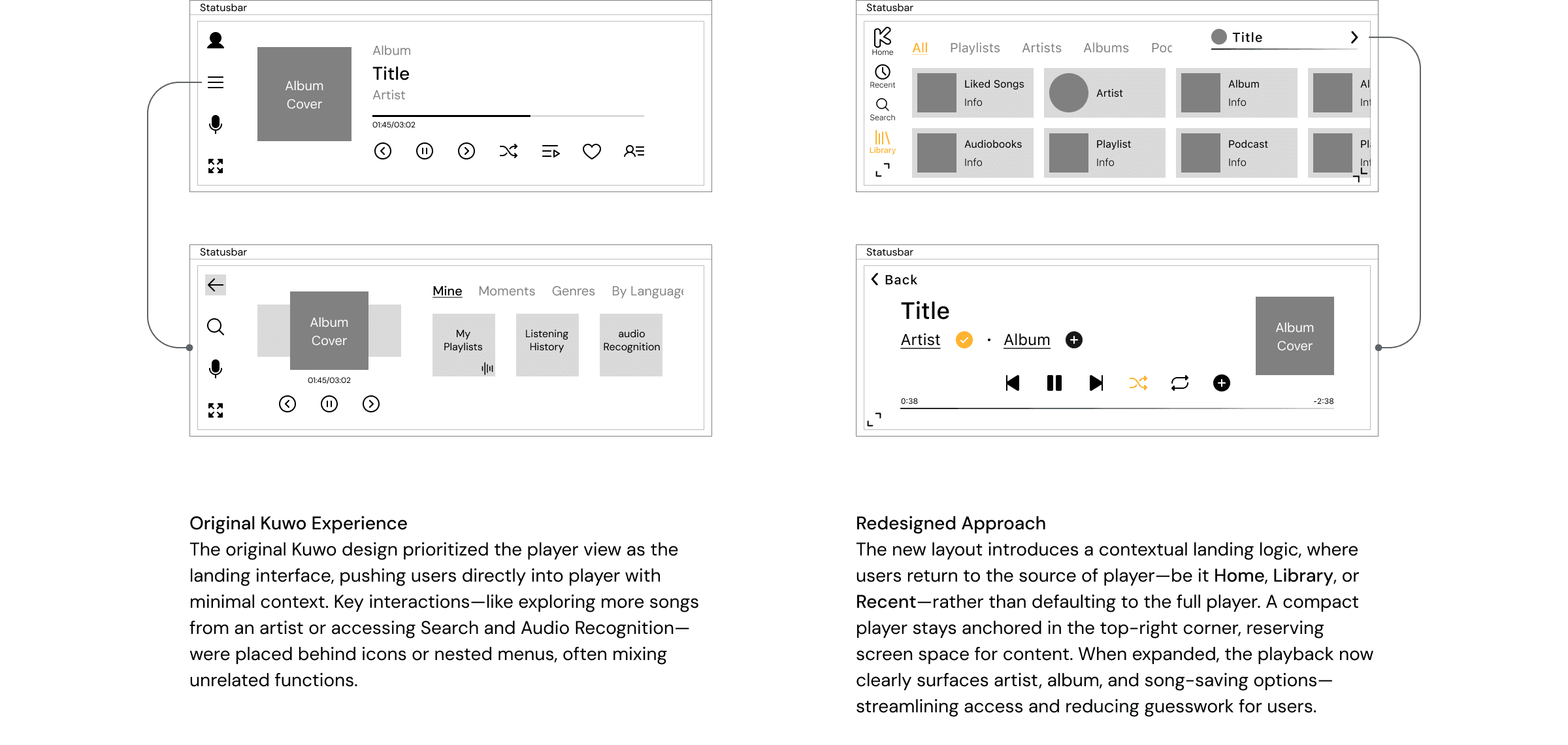
Playback Interaction Simplification
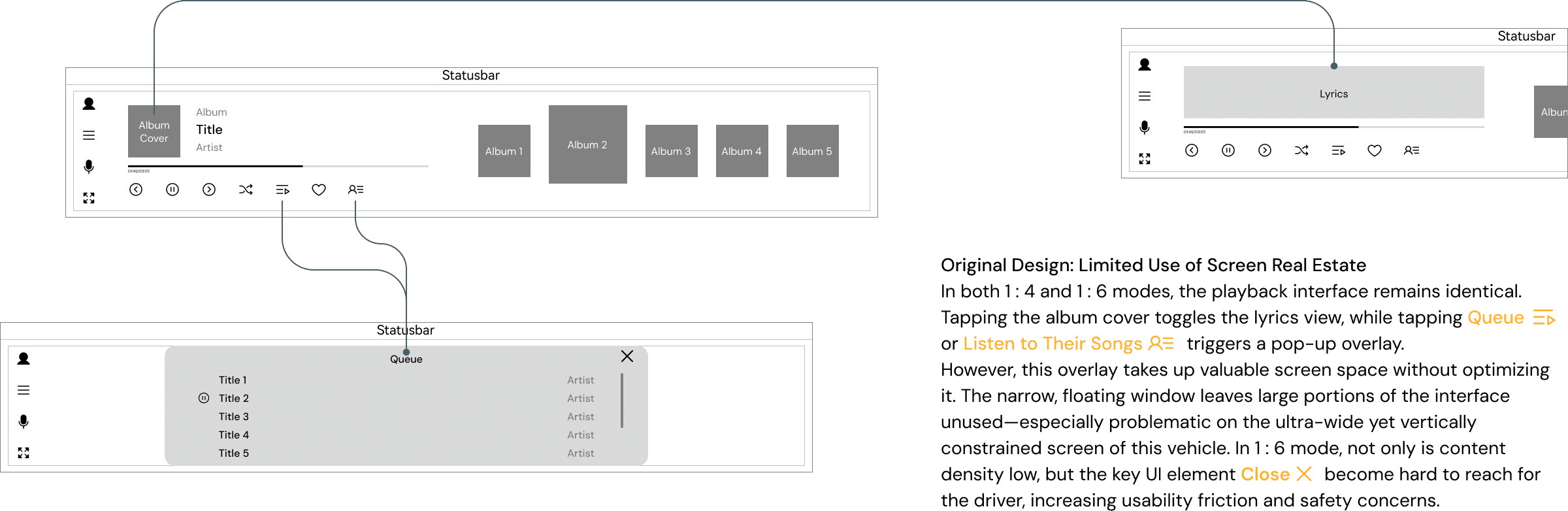
Screen Space Optimization
Design
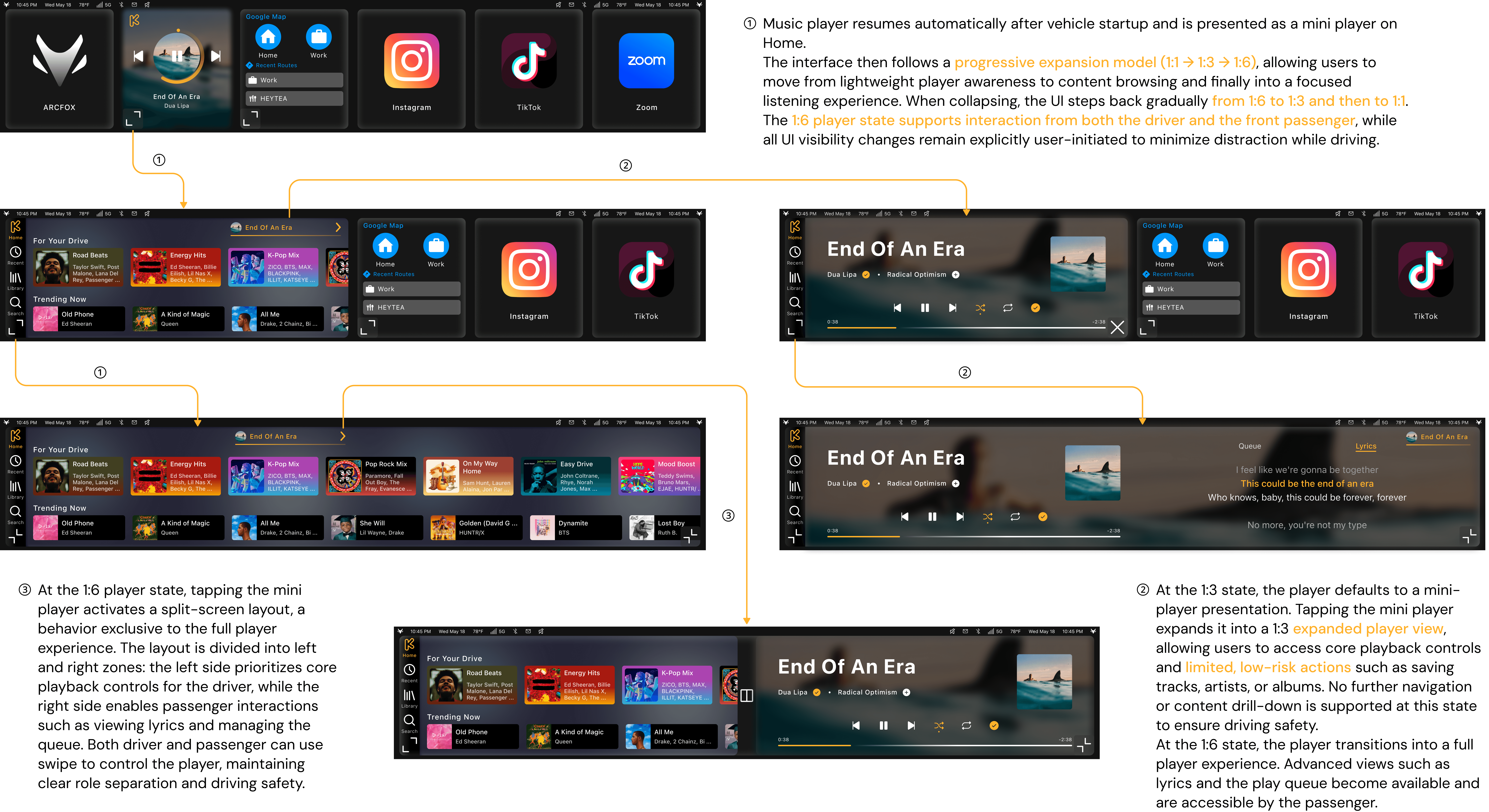
By My Side, Nonstop
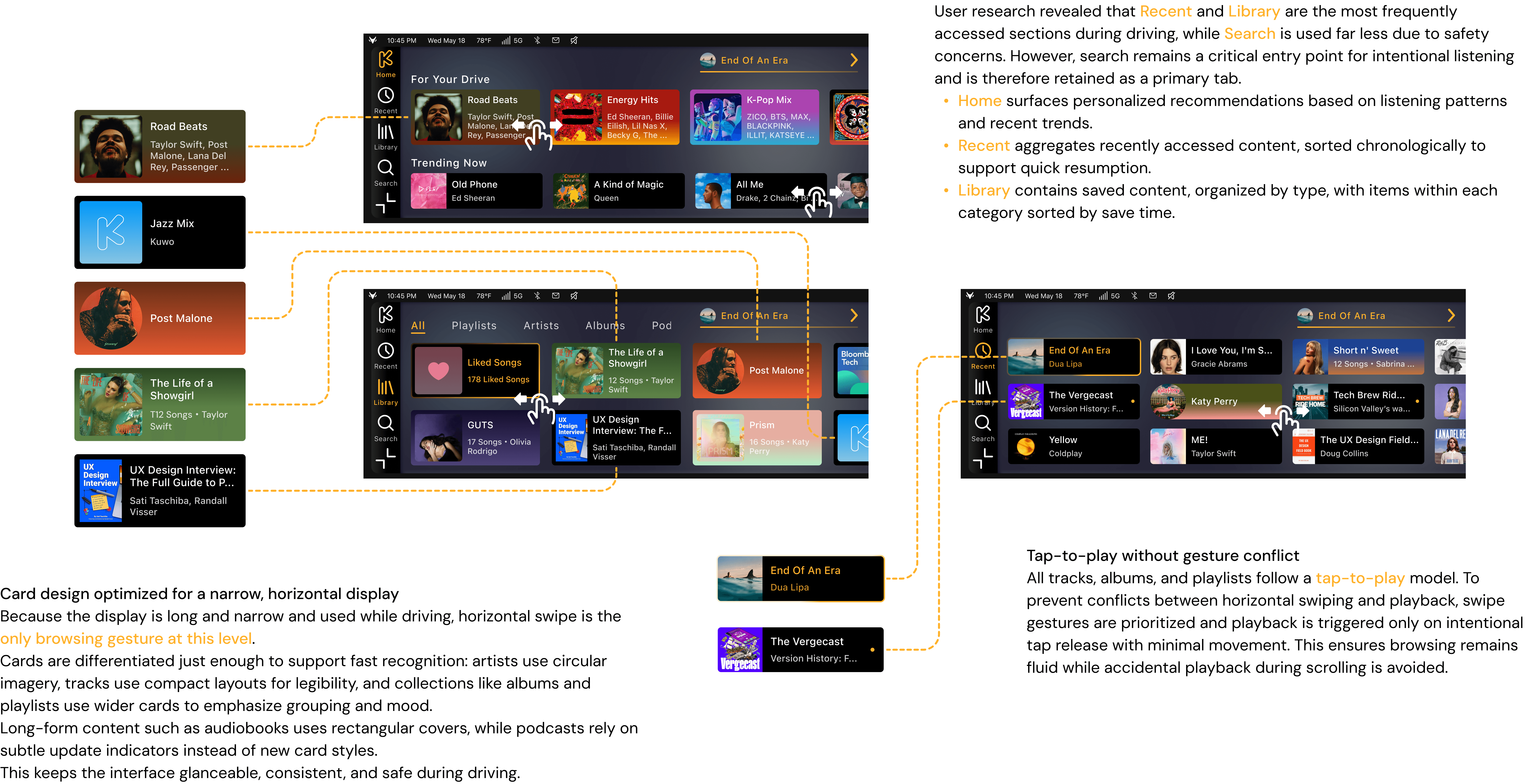
Structuring Content for Glanceable Browsing
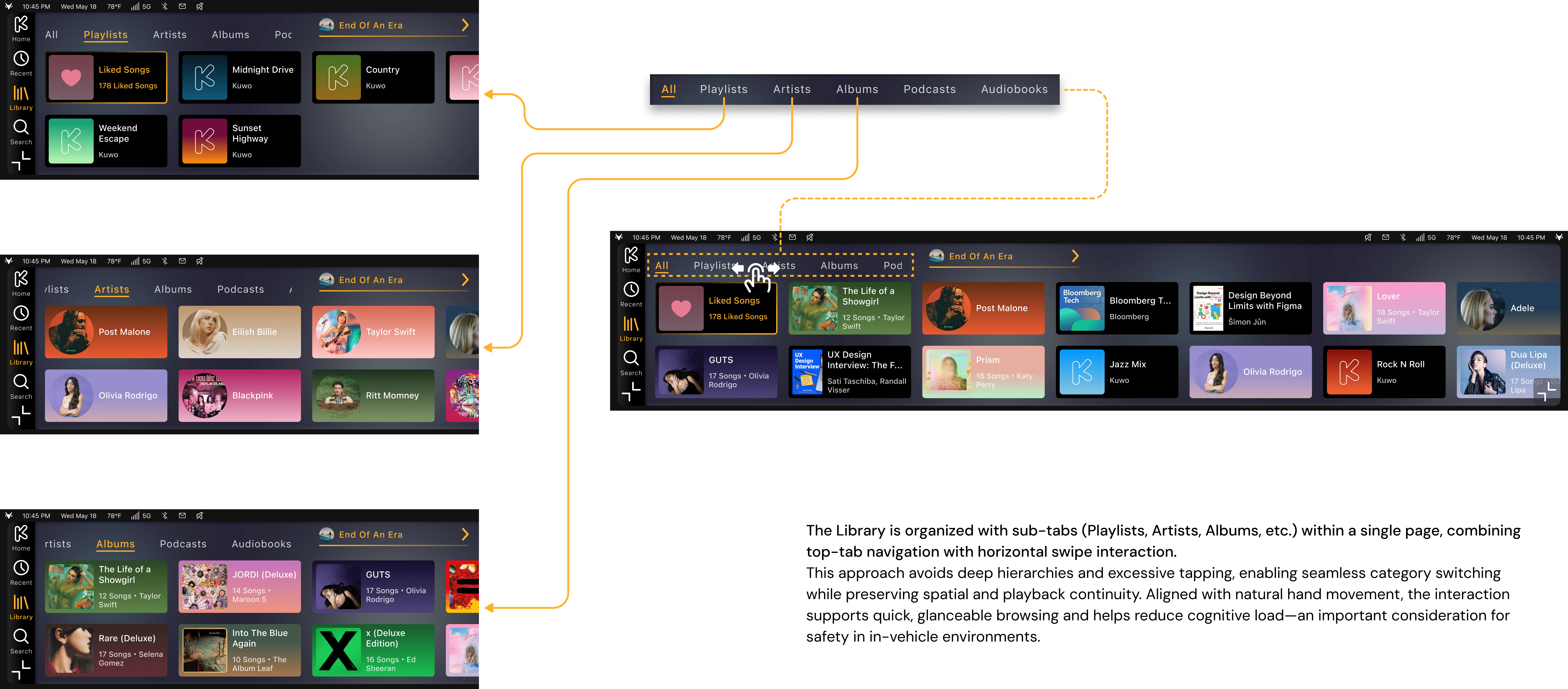
Designing the Library for Safe Interaction
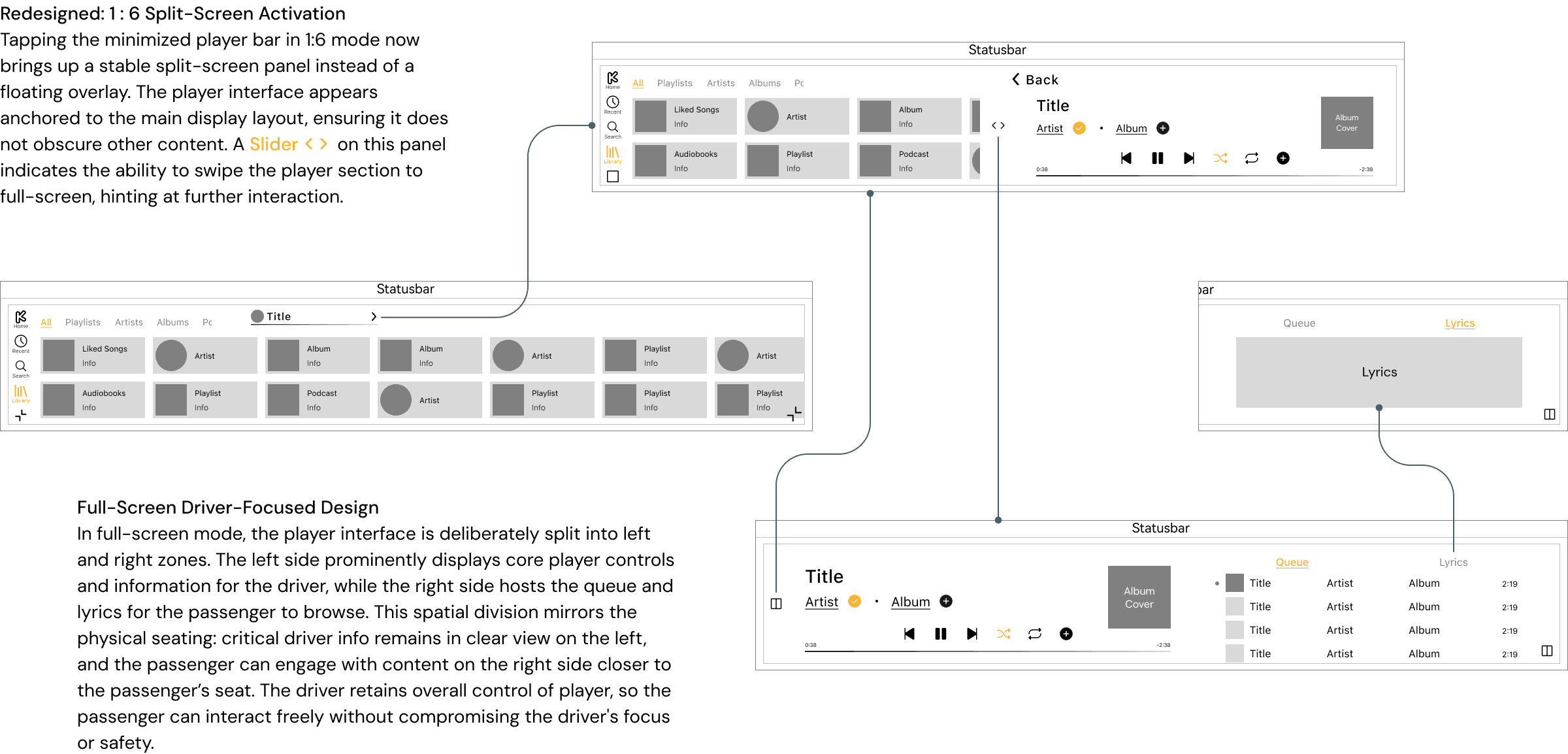
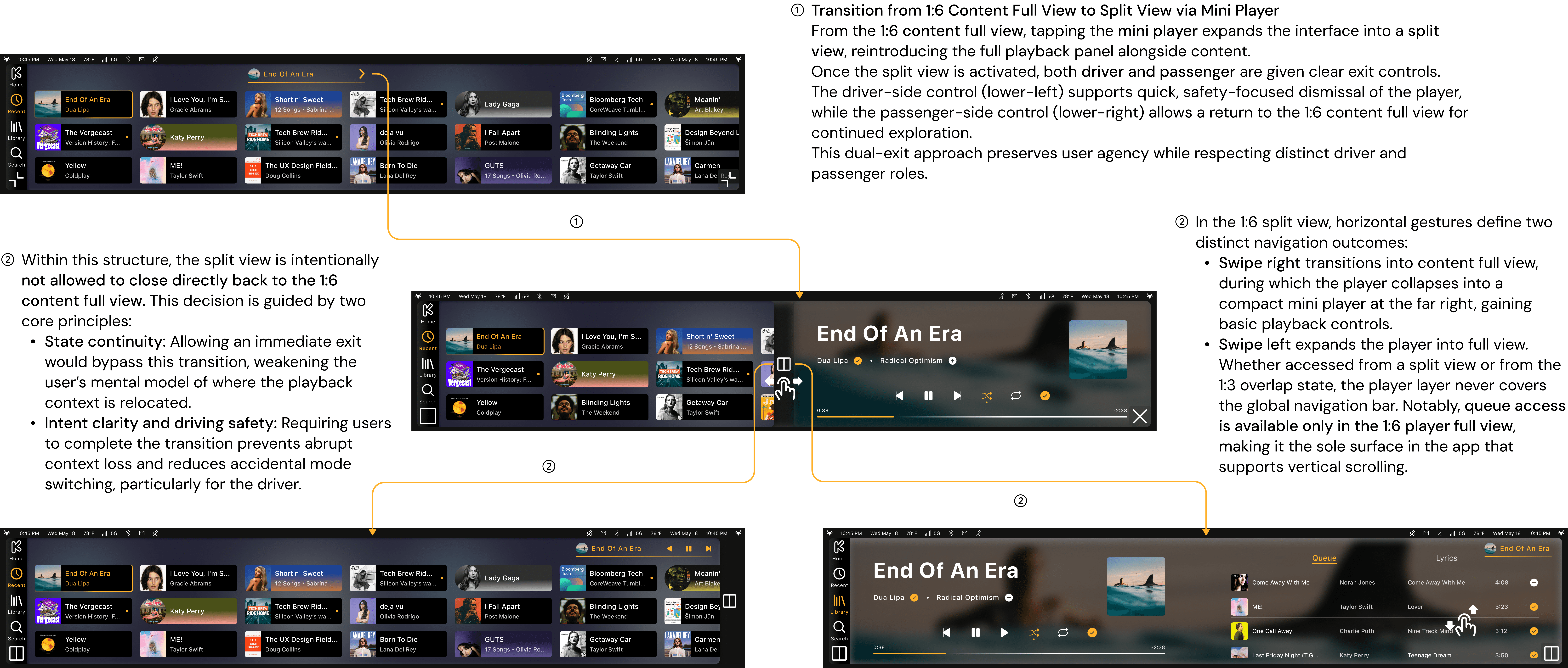
Split View Is a State, Not a Shortcut
Reflect
This project explored the music playback experience within an in-vehicle infotainment (IVI) system under real-world constraints such as driving safety, limited interaction bandwidth, and multi-screen ratios (1:1 / 1:3 / 1:6).
While the final design establishes a clear progressive disclosure model, state continuity, and driver–passenger role separation, the lack of formal user testing means that several assumptions remain unvalidated.
In particular, the design decisions were primarily driven by secondary research, competitive analysis, and system-level reasoning, rather than behavioral evidence from real drivers.
Despite this limitation, the project successfully translated abstract safety principles into concrete interaction rules, and articulated why certain actions are intentionally restricted rather than simply omitted.